Brawl Stars - Automate your tournament


You can enable the Brawl Stars integration in your tournament, to automate match lobbies and results. To do so, head into your Brawl Stars tournament Settings > Discipline, and activate it while selecting the Region for your tournament:
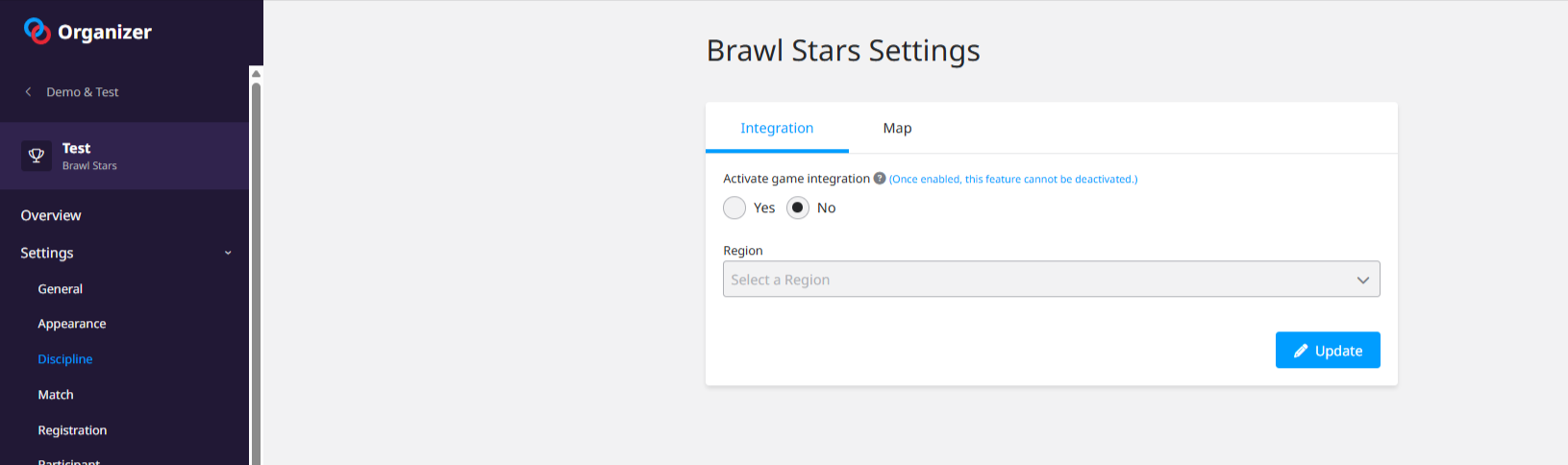
Make sure to open your registrations, as enabling the integration will automatically prompt the participants to provide their In-Game Identifier by linking their Toornament and Supercell accounts when registering to the tournament. Note that as per Supercell guidelines, you are not able to manually create or modify integrated participants.
Next steps will be the usual ones, in creating a structure, defining your match formats and placing the participants in the stage(s):
Then, you have to declare the Map & Mode of your matches following the Match Format system. You can apply a Map & Mode at any stage of your tournament (you probably want to use the Round level, by going into the Structure > Configure menu, and then navigate to the rounds using the top-right select menu, but can also determine the format and settings for each match manually)
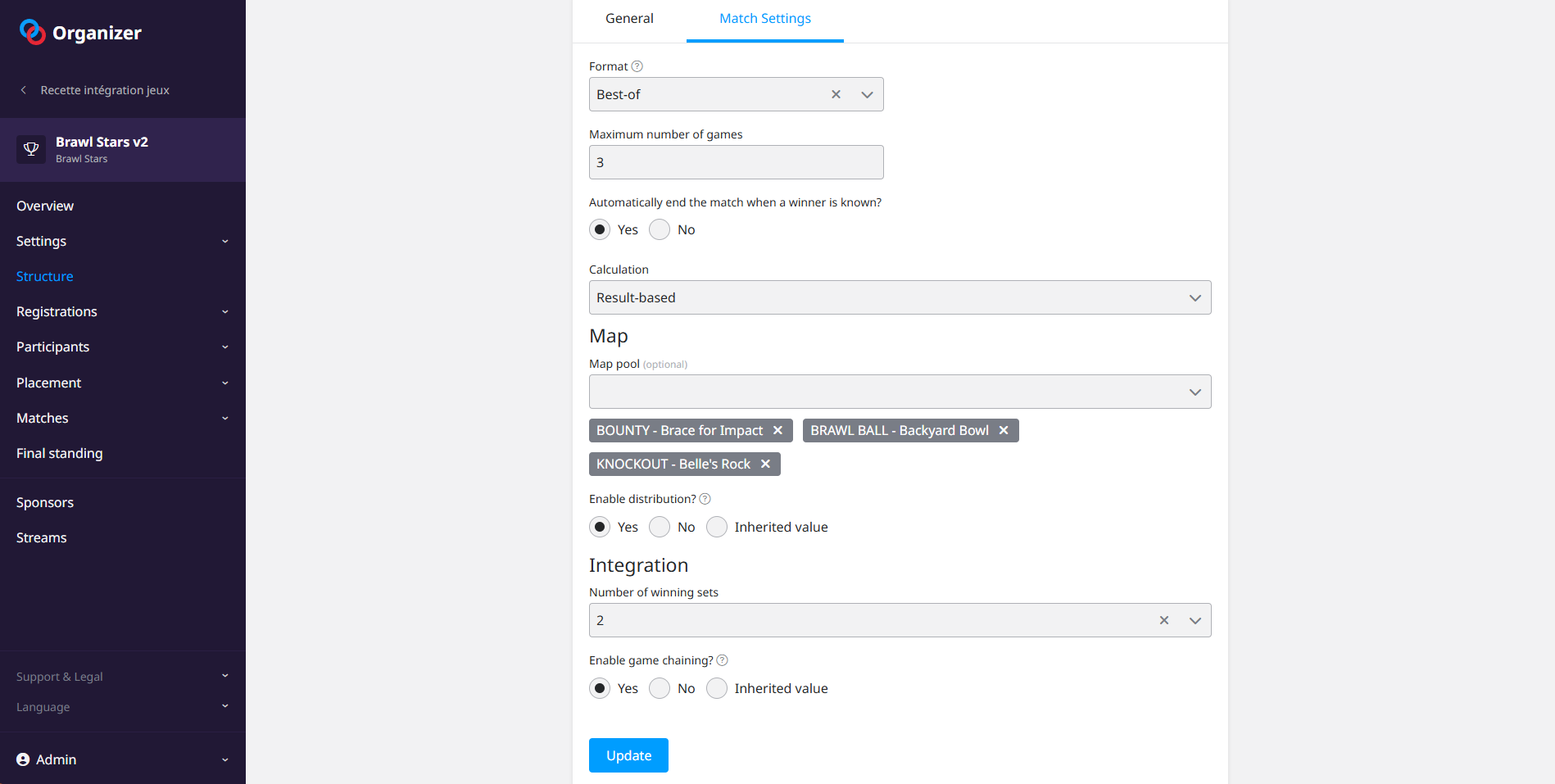
You will have to define the Match Format (Best of 3/5 are go-to for Brawl Stars competitions, and we recommend enabling "Result-based calculations" so the match is automatically updated after the game results are in).
You then need to declare the list of maps to be used. Enabling the distribution will automatically apply the maps, in order, to the games of all matches in the round.
Finally, you can choose how many won sets are needed for a game, with 2 being the default in Brawl Stars competitions (making each map/mode a Best of 3 of rounds), and also whether you want the games to be chained together, so that once you start a match, all game invitations will be sent automatically after a game is over.
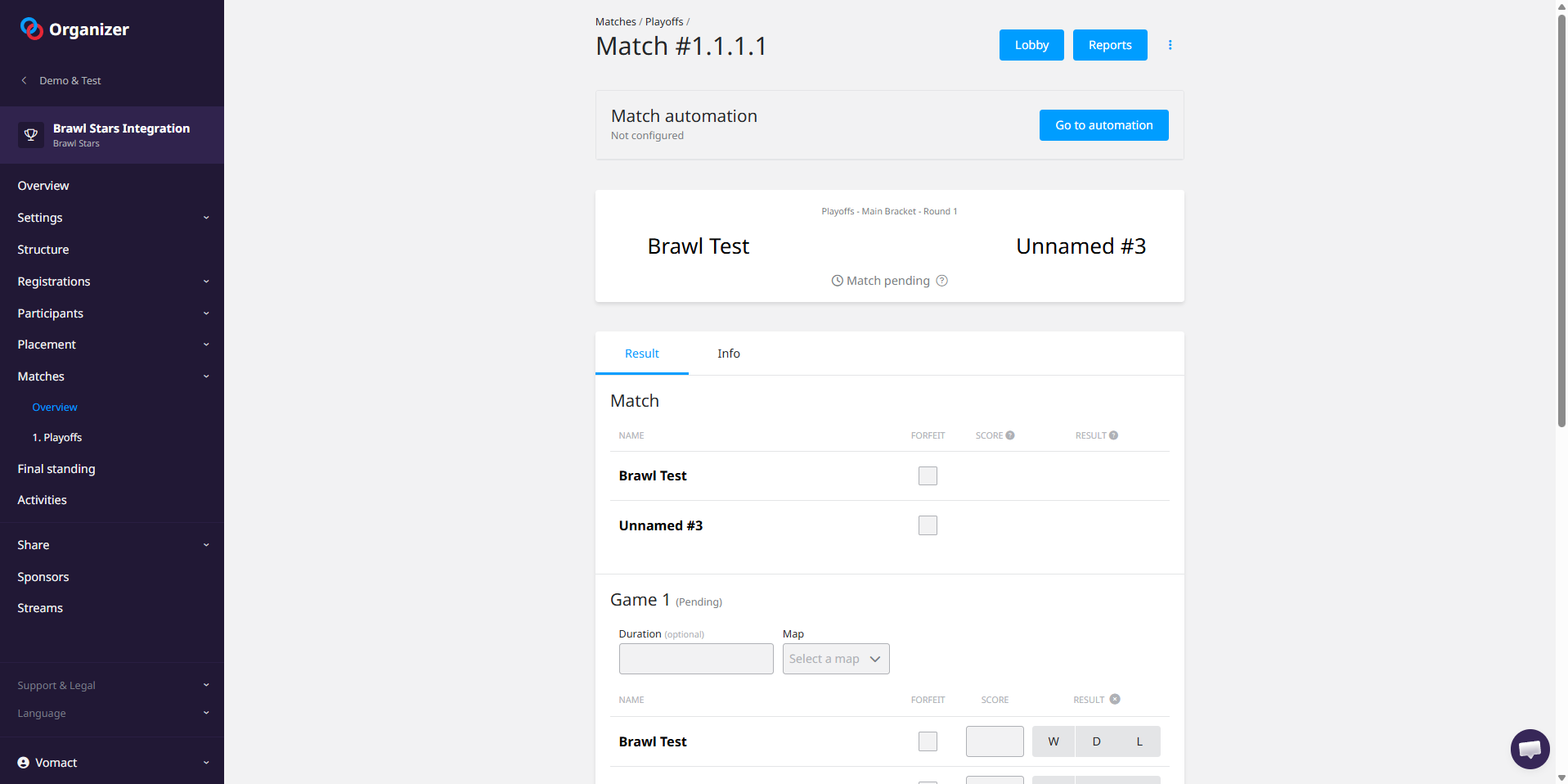
Once ready, you will then be able to Start the match by clicking the "Go to Automation" button on the match sheet:
You will then see the automation options for the match, where you can start the first game (and the next ones if there is an issue, or you have decided not to use game chaining). You will also see the picks and bans from the players in real time, and the detailed results.
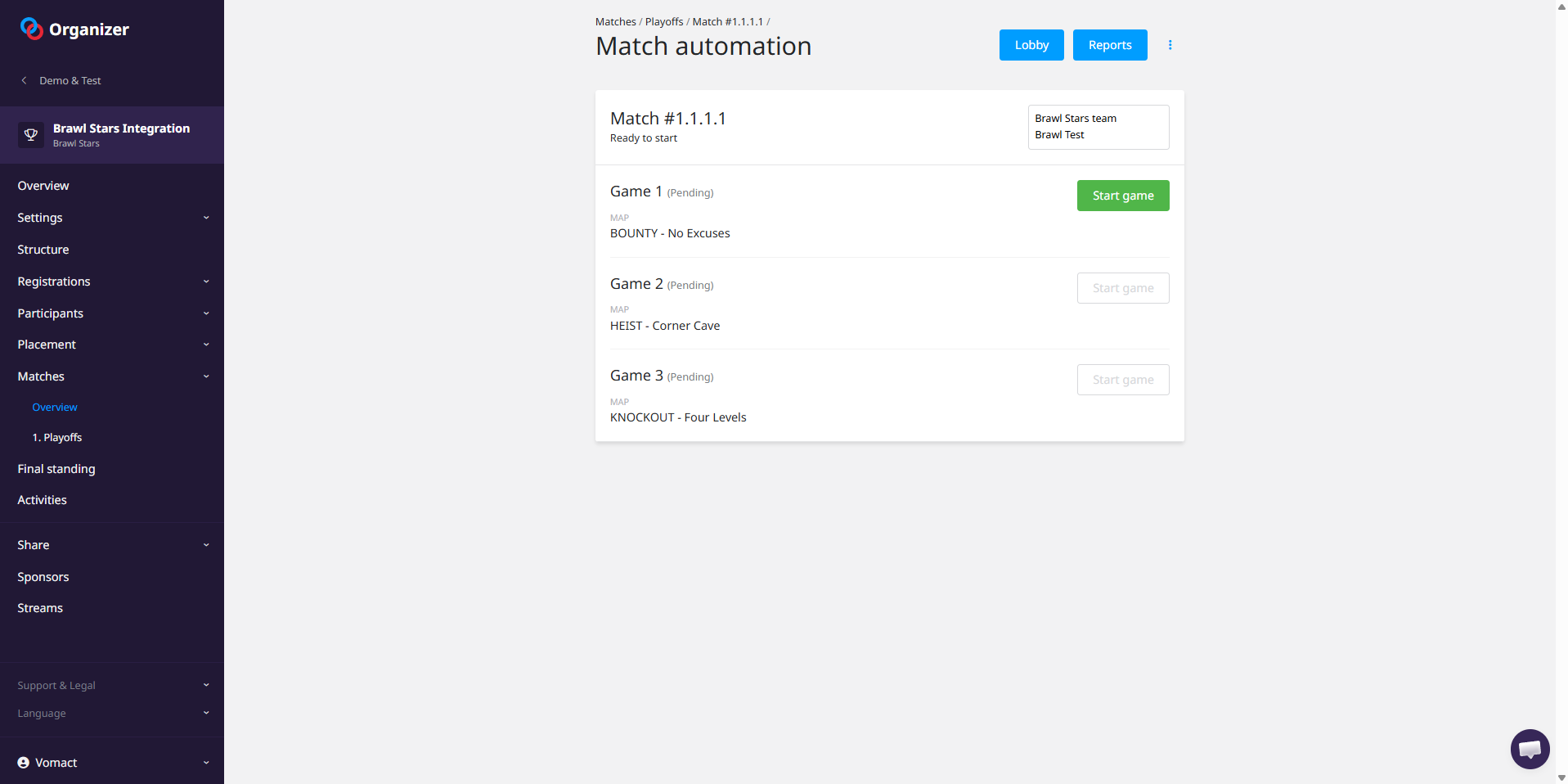
Starting a game will automatically send in-game invites to all involved players:
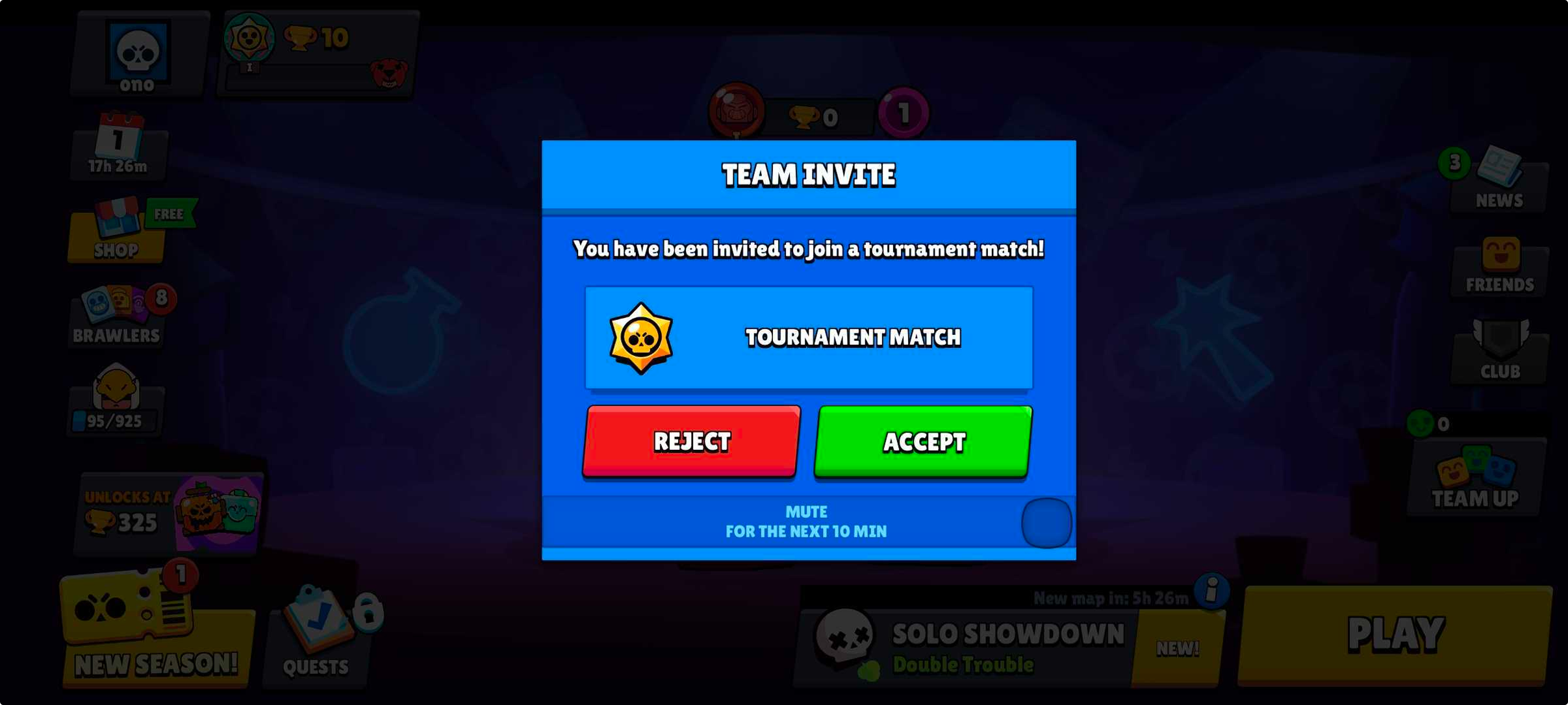
They will play their match until a team reaches the number of won sets declared, and the final result will be automatically retrieved and displayed on Toornament.
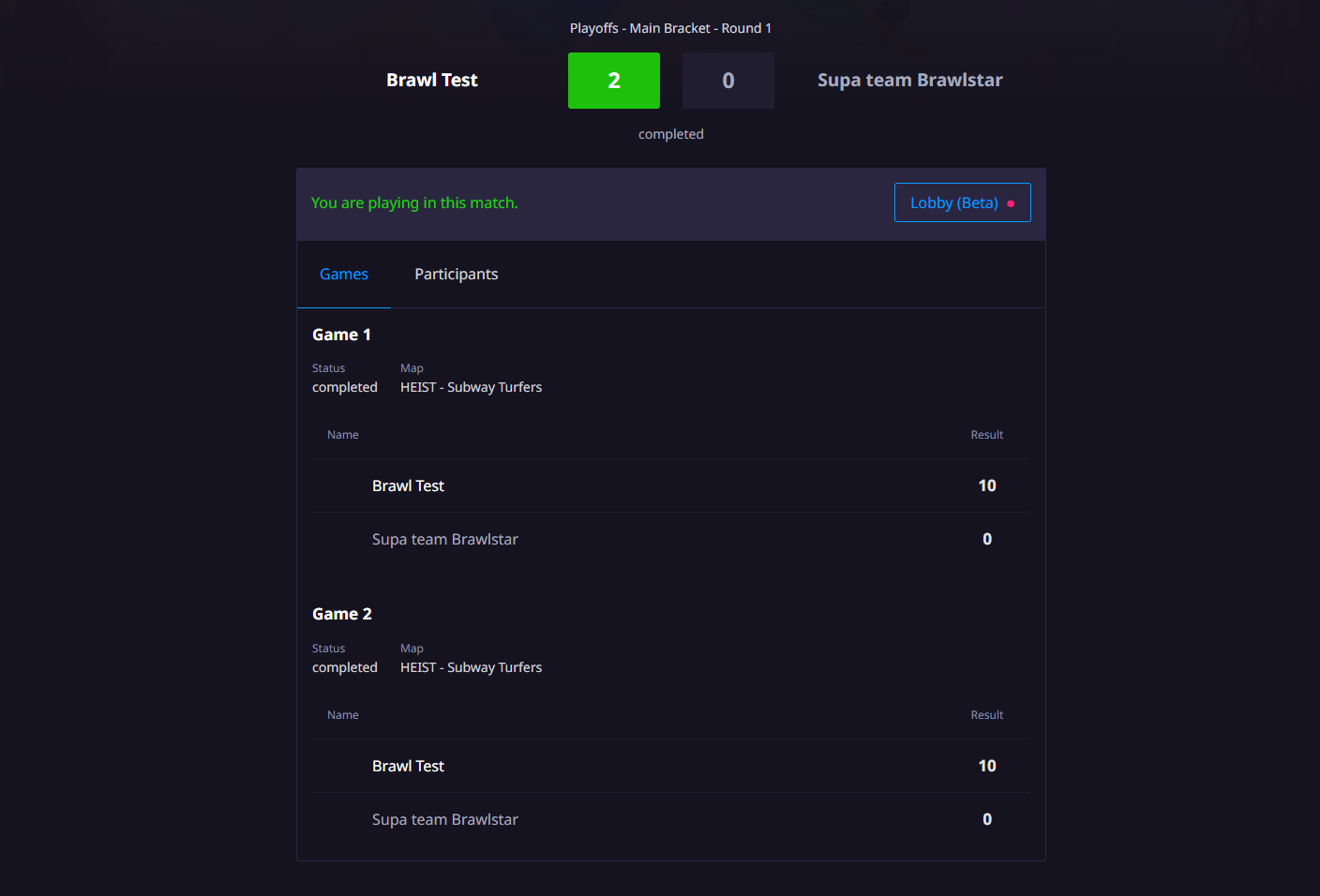
Then, if you have chosen a match format with several games, the invitation for the next game will be sent automatically so that players can jump in and play the rest of their match, until a winner is declared.
In case of an issue (match taking too long, player disconnecting etc.), the automated system will pause, and you will have to restart the match after having handled the issue with the players (if games were completed already, you will be able to restart the match where it paused). Alternatively, if you remove the score & result from a game, you will be able to have a game replayed by starting the match again.
